avail developer docs
avail is a modular blockchain infrastructure layer designed to solve data availability and interoperability issues in web3. i worked on improving the developer experience at avail as a designer, collaborating closely with engineering (amartya & abheek), developer relations (robin roy) and the CTO (prabal banerjee).
one of the biggest issues in the web3 industry is interoperability ie; blockchains can’t natively talk to each other. avail nexus solves that and is available for developers to build on top as a headless SDK, UI elements & API.
my work at avail included:
- avail’s developer docs (design + frontend)
- UI elements built on nexus SDK (design system, tokens, hi-fi prototype)
how did i come about working on this project?
i was working on the UI elements with amartya (frontend engineer leading UI elements). i found out two docs existed. amartya had built out a new docs for UI elements as the main docs used nextra an older framework which was not the best for our use case (install commands like npx shadcn add @nexus-elements/fast-bridge, MCP).
i convinced the leadership to migrate docs from nextra to fumadocs.
while amartya took the time to do the migration; i spent the time thinking and reflecting about who would visit the documentation website and for what purpose with robin roy (devrel)
goal: improve the experience of a developer who finds avail nexus and wants to build on top of it.
who would visit:
- devrels
- CTOs
- frontend developers
motivations for someone to visit:
- i want to evaluate the product:
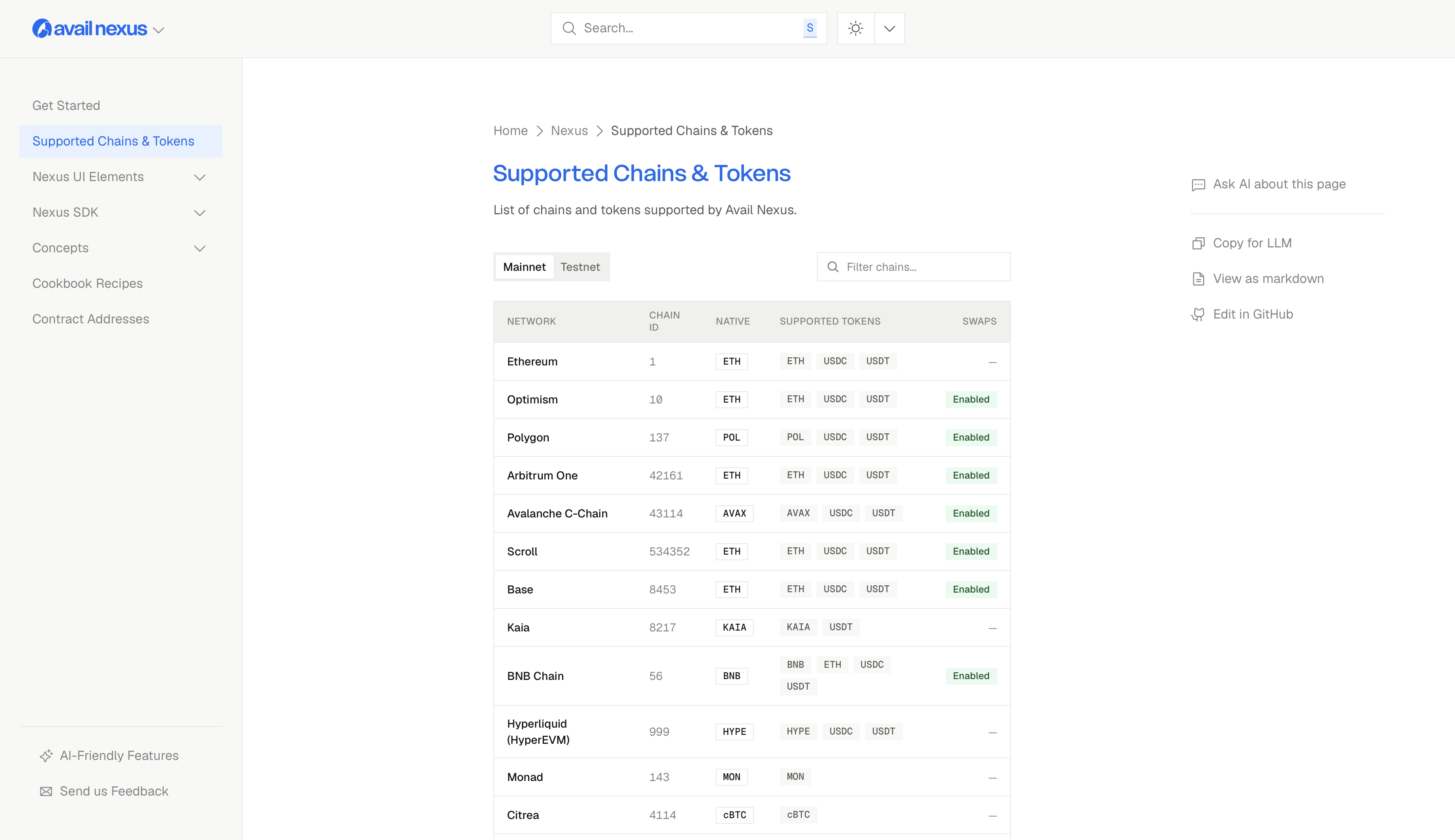
- what chains does it support?
- how much code do i need to integrate to get started?
- how does nexus work? (concepts / architecture)
- how does the end user experience look like for a user? (demos / examples)
- i want to build on nexus:
- what are the pre-requisites?
- how do i get started?
- what are the best practices?
- i’m building on nexus and i’m stuck, what do i do?
what should the homepage solve for?
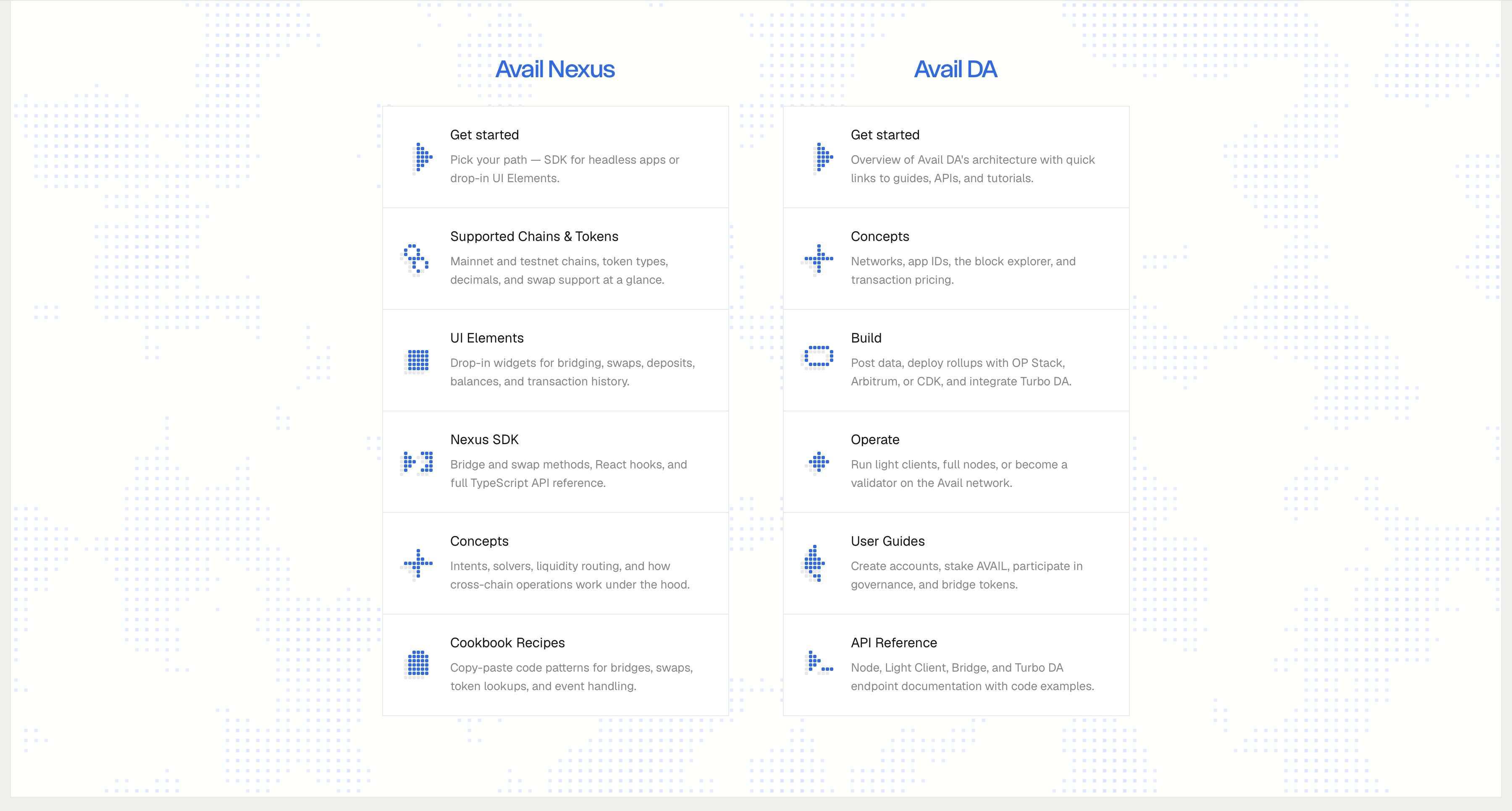
docs for humans
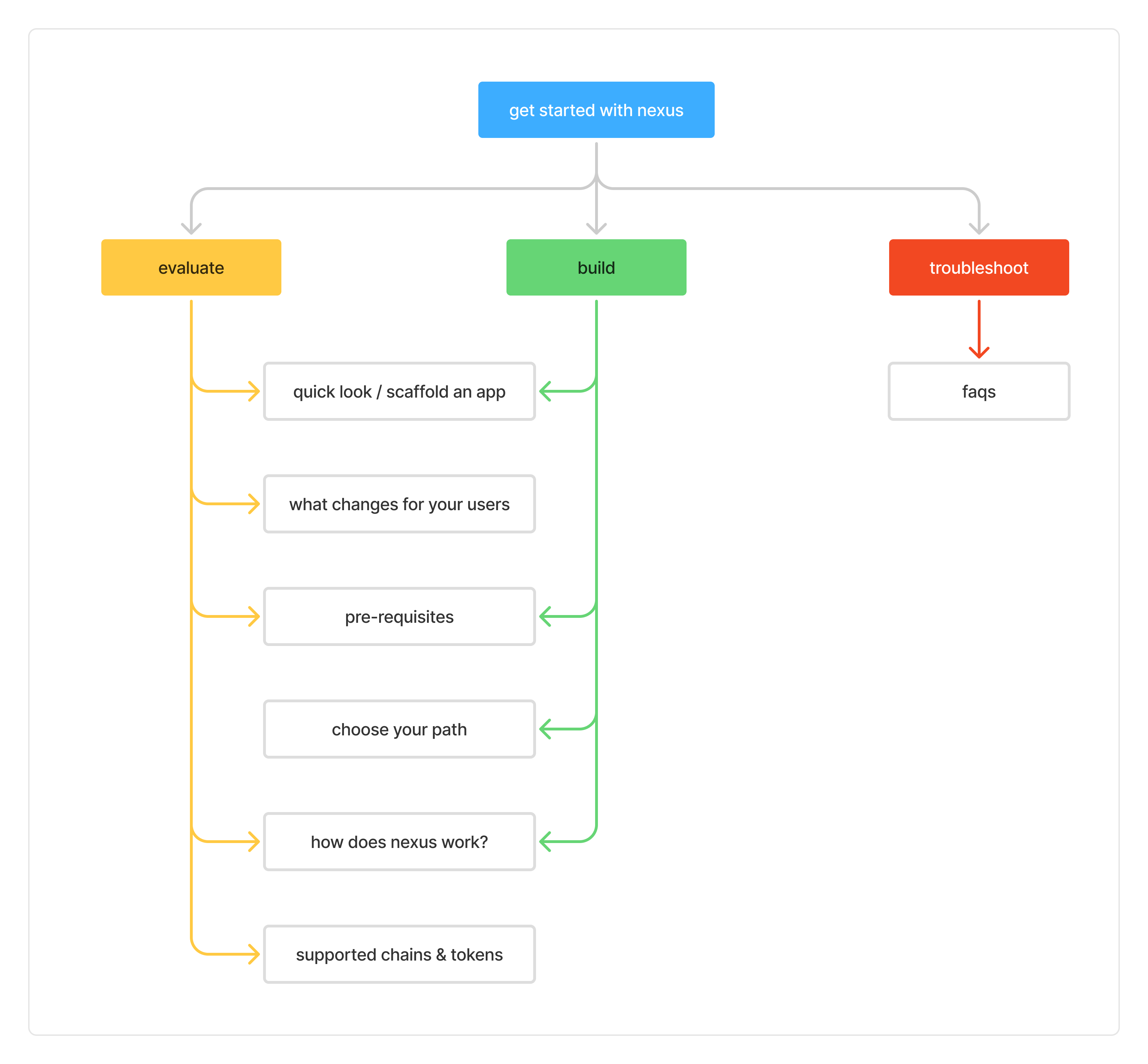
information architecture for avail nexus & da
get started with avail nexus
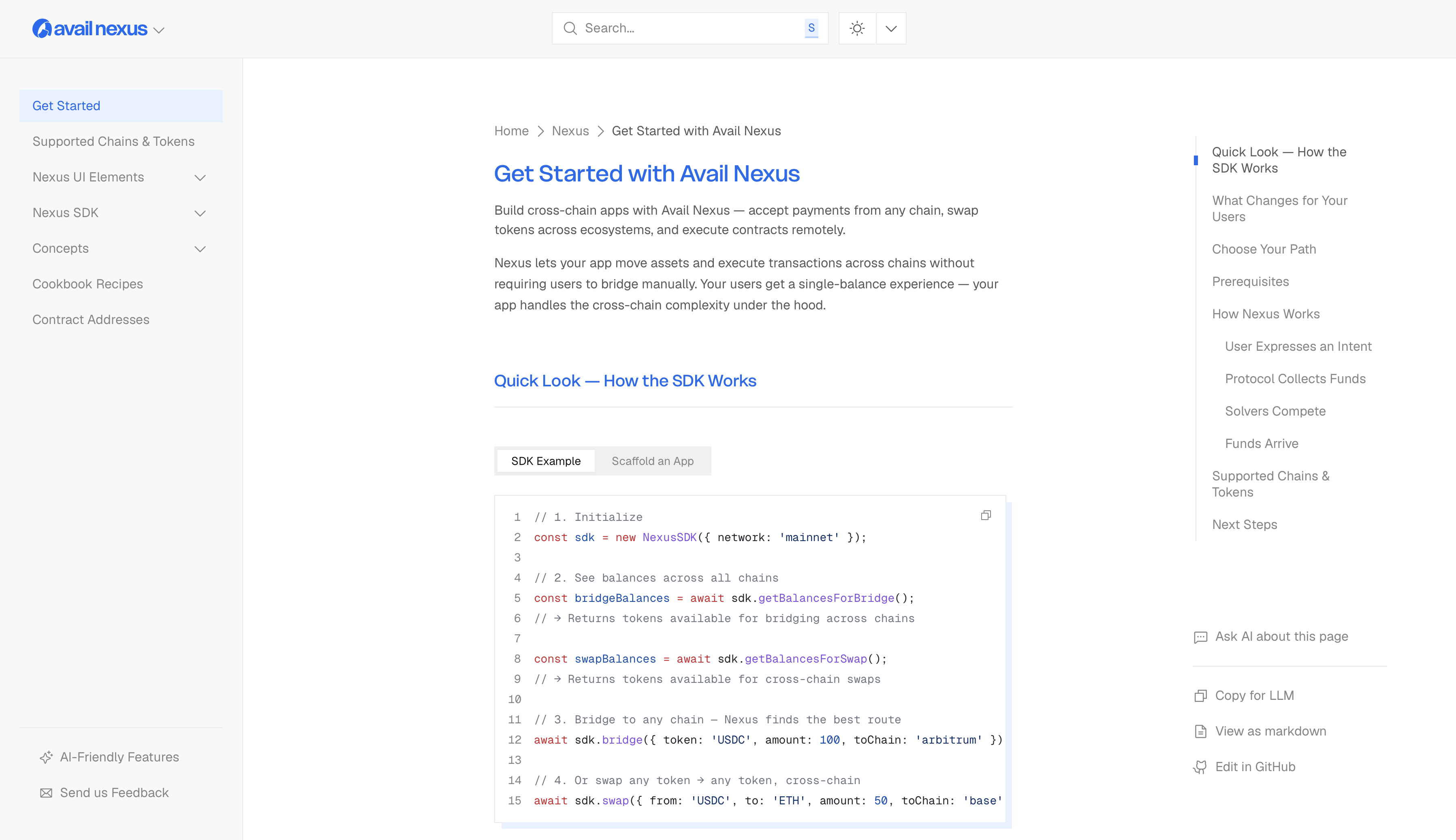
this page is designed for developers/CTOs/devrels to get an overview of nexus and the ways they can integrate this technology with theirs.
starting with a quick look on an SDK example and a more hands on example to scaffold an app
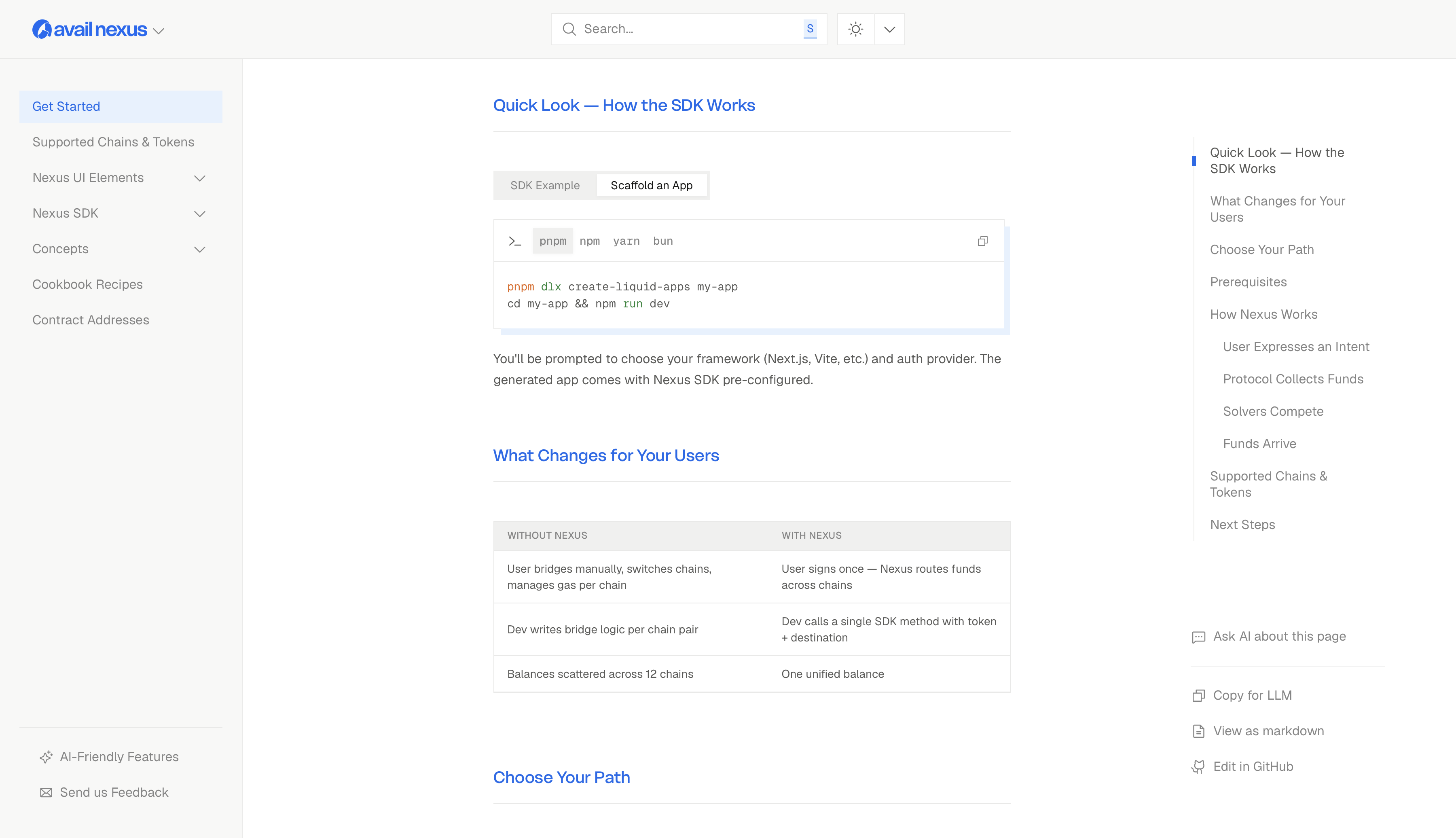
what changes for your users
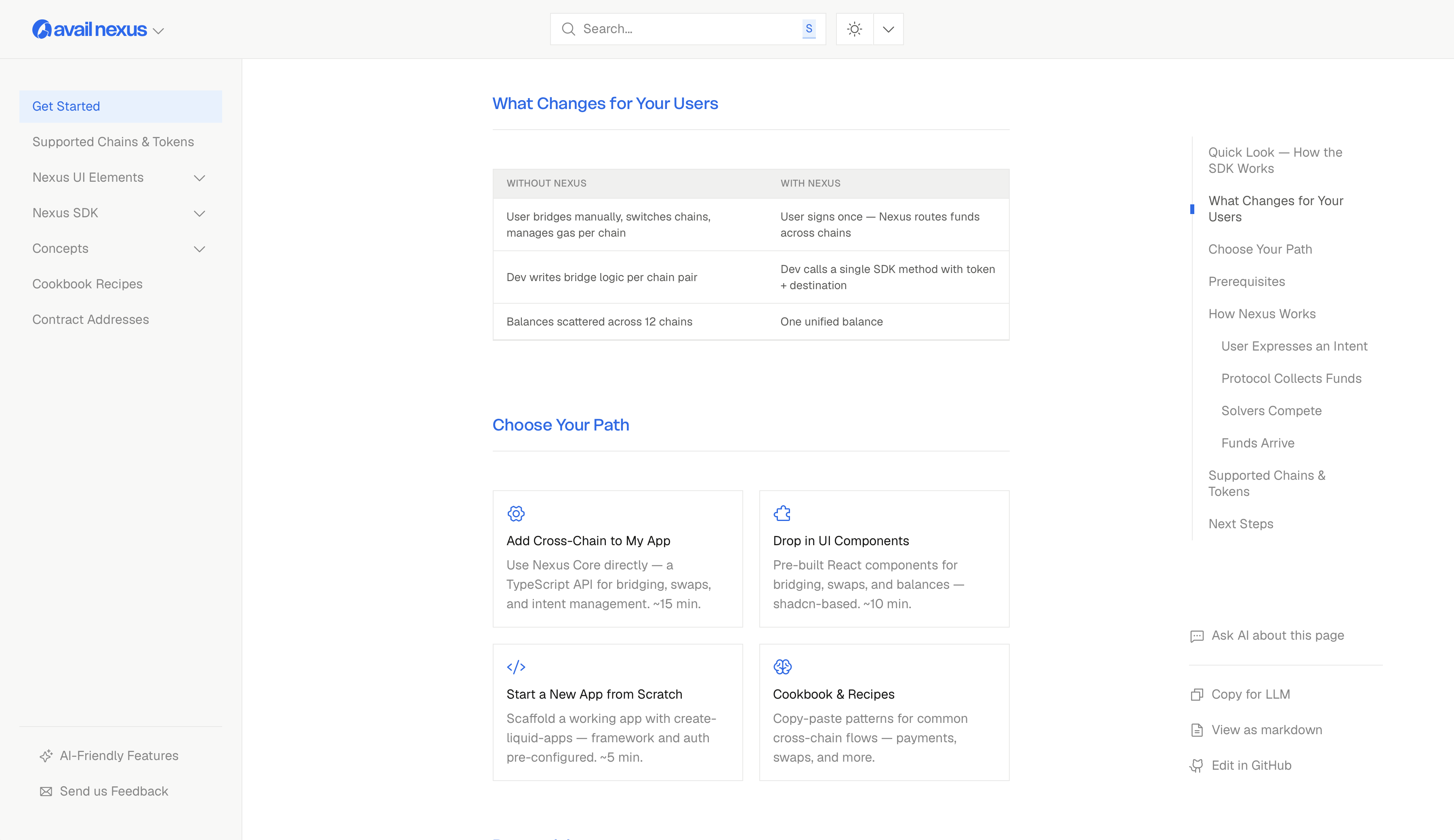
choosing a path:
- headless SDK
- UI elements
- start an app from scratch
- cookbook & recipes
how does nexus work?
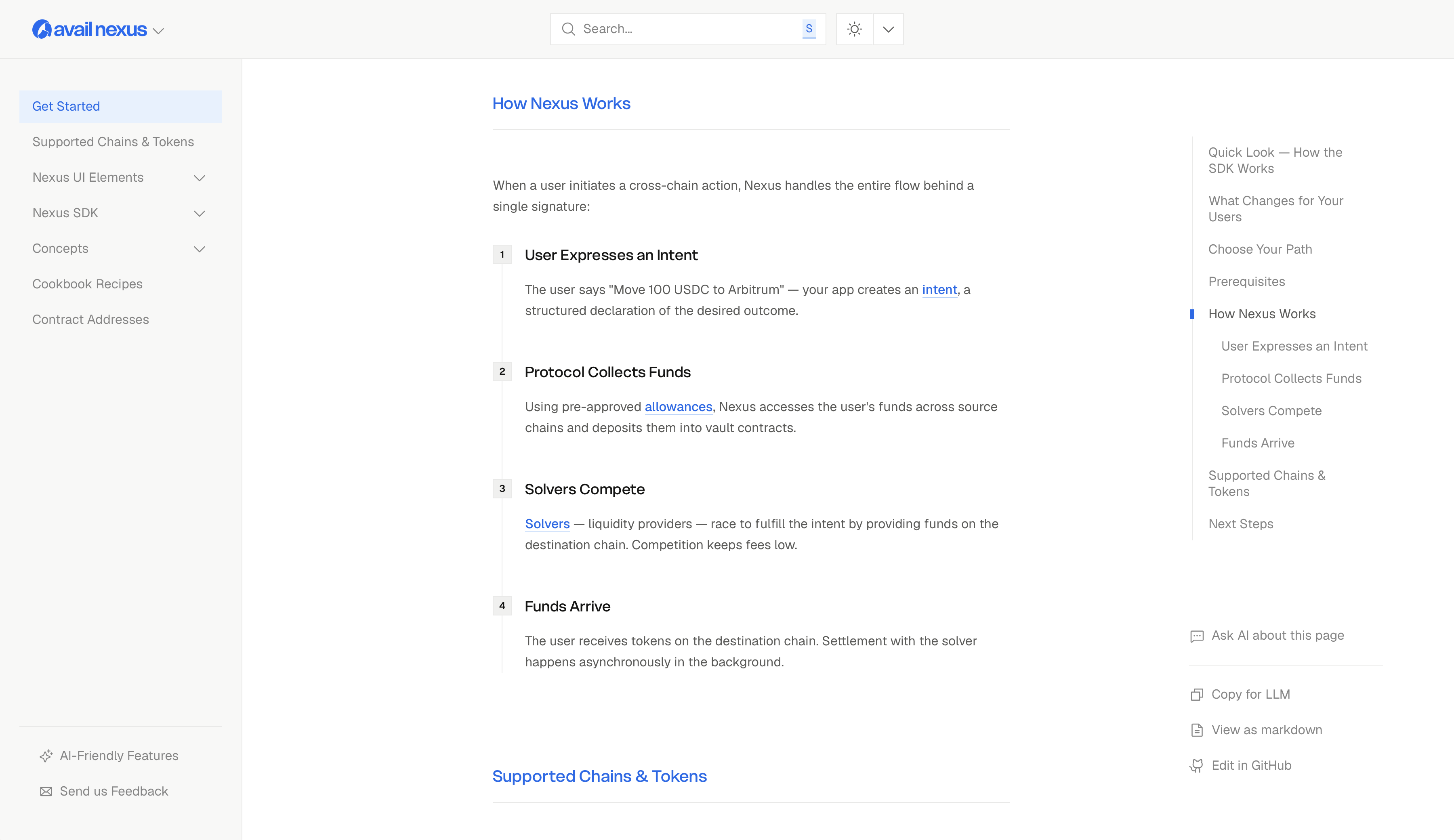
these also introduces the user to the core concepts of nexus like intent, allowances, solvers.
supported chains & tokens
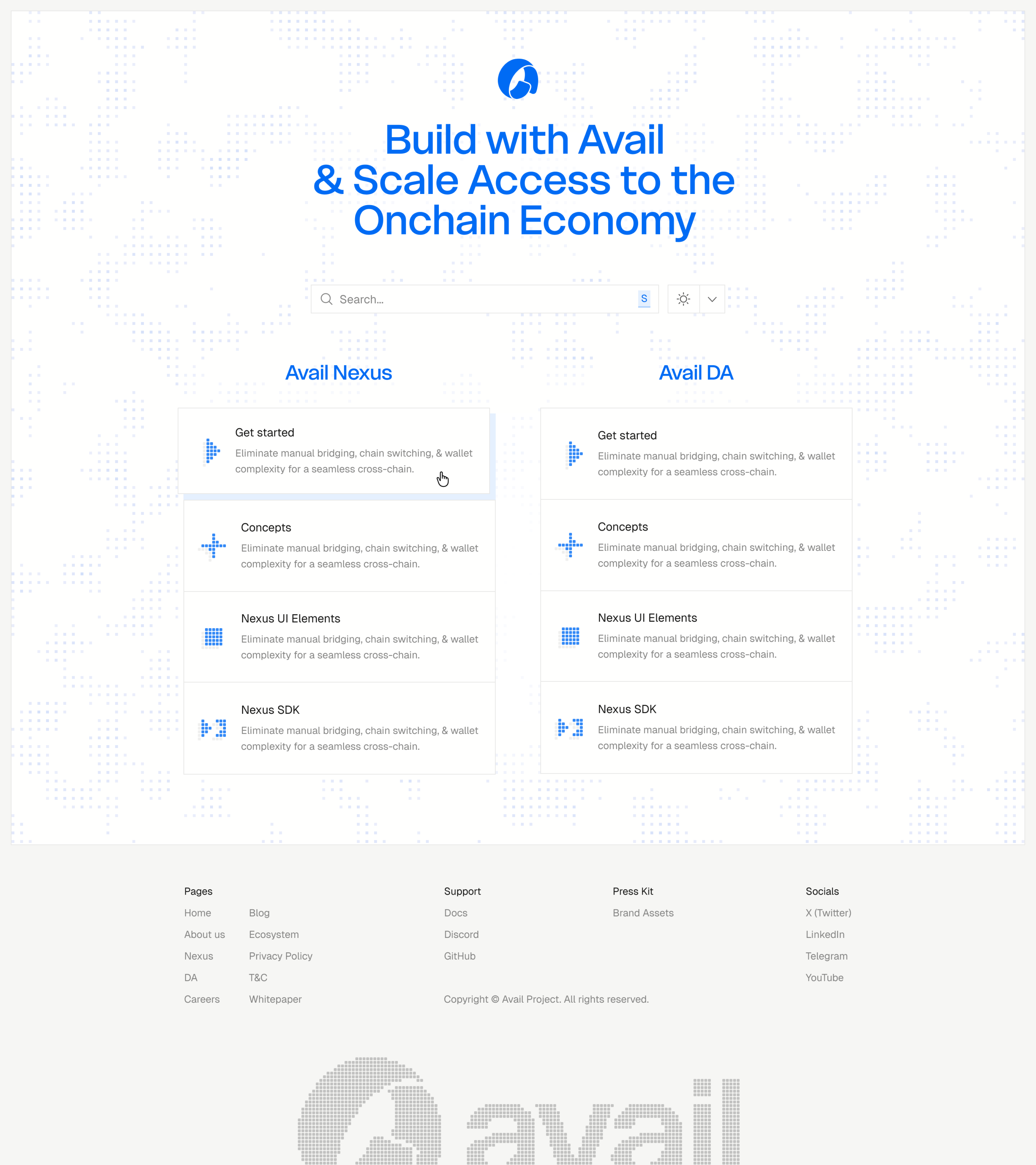
homepage design
this is where i had the most fun; i tried out a lot of iterations for the background pattern using claude code. check it out yourself at docs.availproject.org (while you are at it, try the theme switcher)
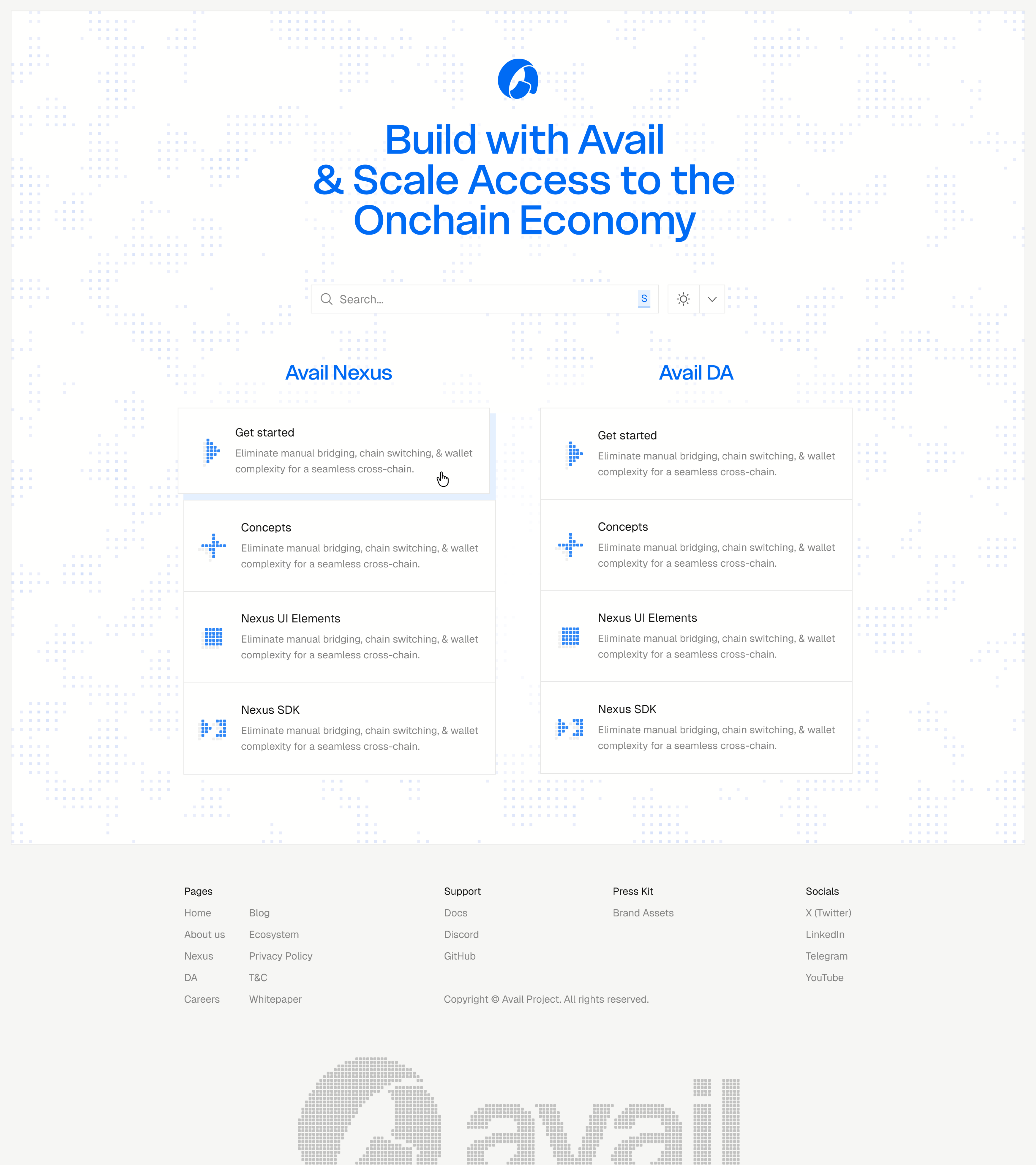
i built a tool to experiment with halftone inspired pixel background textures. which would animate in real-time as i changed the parameters defined. i was able to fine tune it to my desire and use it for the homepage.

i built another tool to work on the icons. i would describe an idea to claude and ask to visualize it by using .html files and asking it to give me controls to tweak variables. any changes would immediately reflect on the preview and could easily create a bunch of these icons. which you see on the homepage.
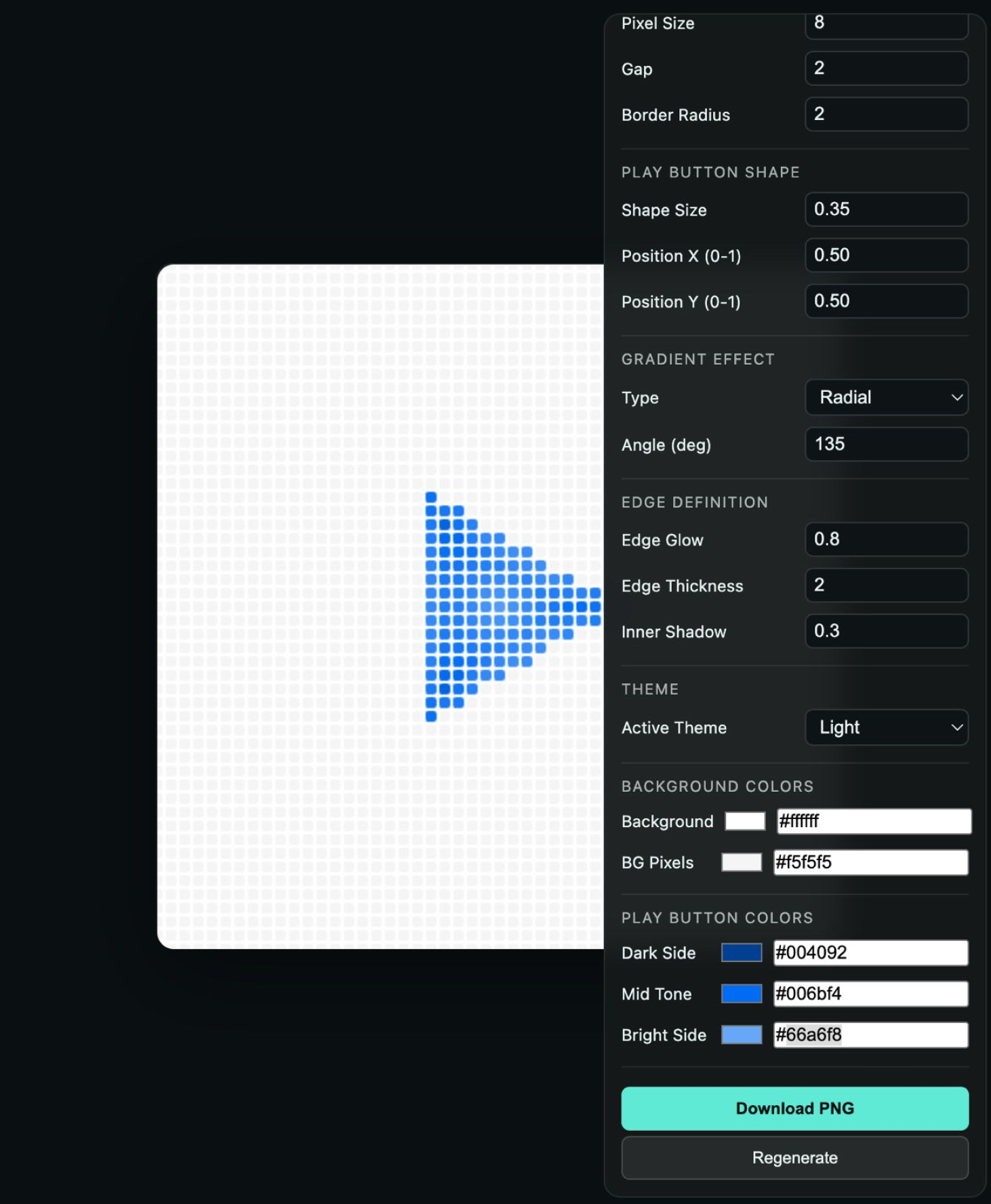
asking claude to give me sliders to play with the specifics of things and invent things out of thin air was amazing, it allowed me to really touch the fabric of code and manipulate it in ways i wanted to with plain english.
this moment was special, i am a tinkerer at heart; always have been.
i’ve been tinkering with my computer since i was 3 years old. this moment took me back to the feeling i first got when i started using the internet on my computer. things felt possible. i could do anything. there was something about this new way of shipping code and yet the feeling was so familiar.
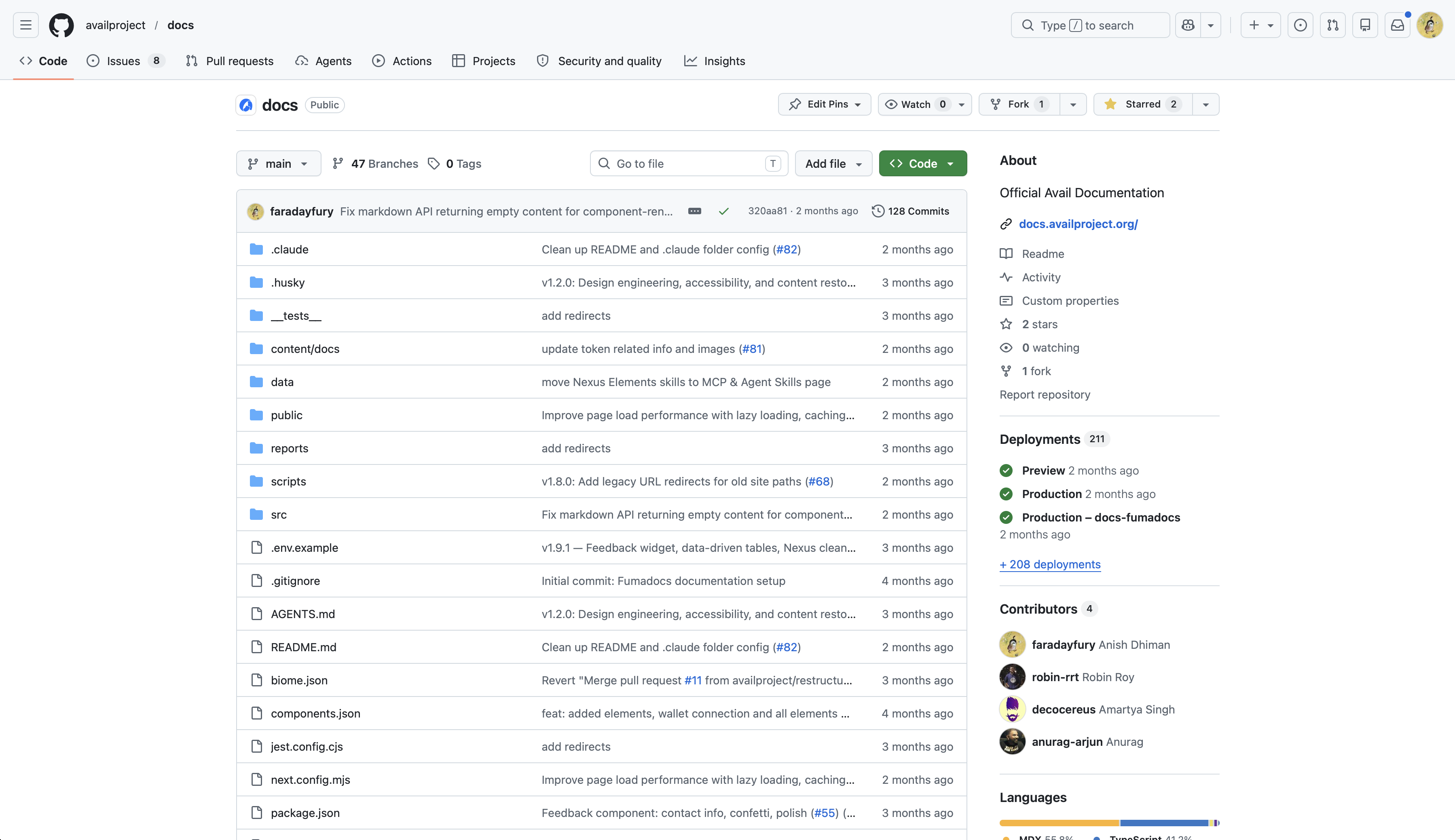
i was hooked. i went on to ship the entire docs website and build a lot of mini features like feedback mechanism / posthog integration for analytics / ai features all by myself and some guidance from amartya.
you can see i am the top contributor in the docs repository at github.com/availproject/docs
technical diagrams
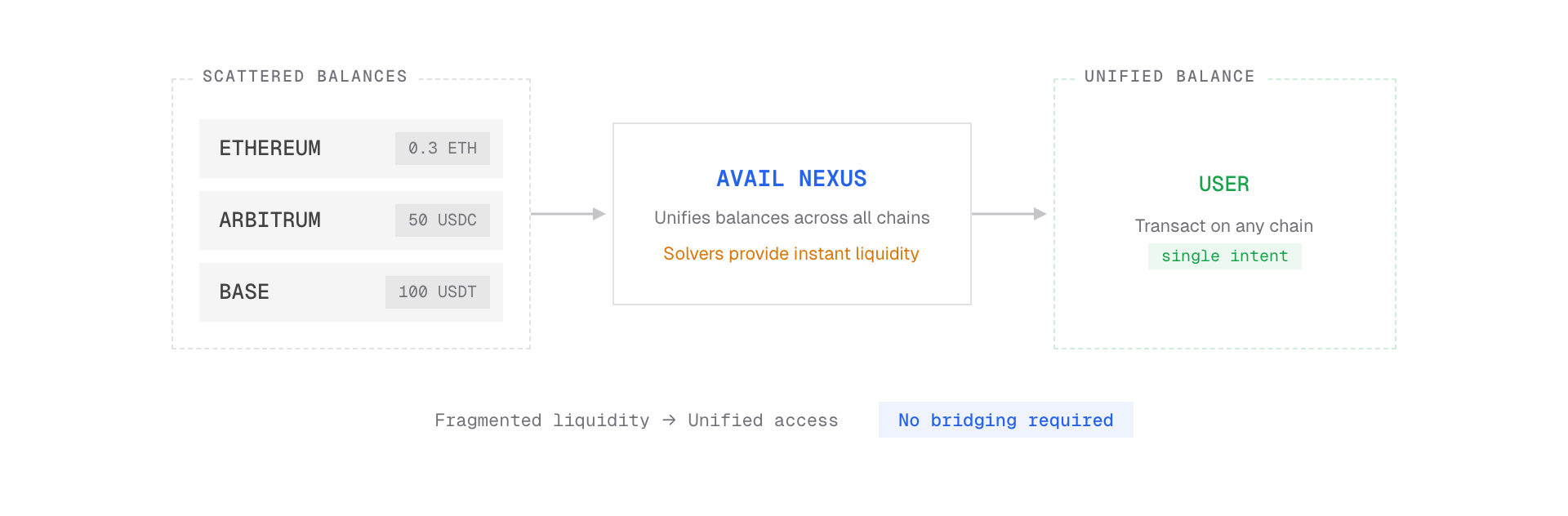
i also spent some time working on the technical diagrams which helped explaining the core nexus concepts, using claude code + paper mcp.
docs uses exported pngs which also work with the theme switcher.
chain abstraction
intents
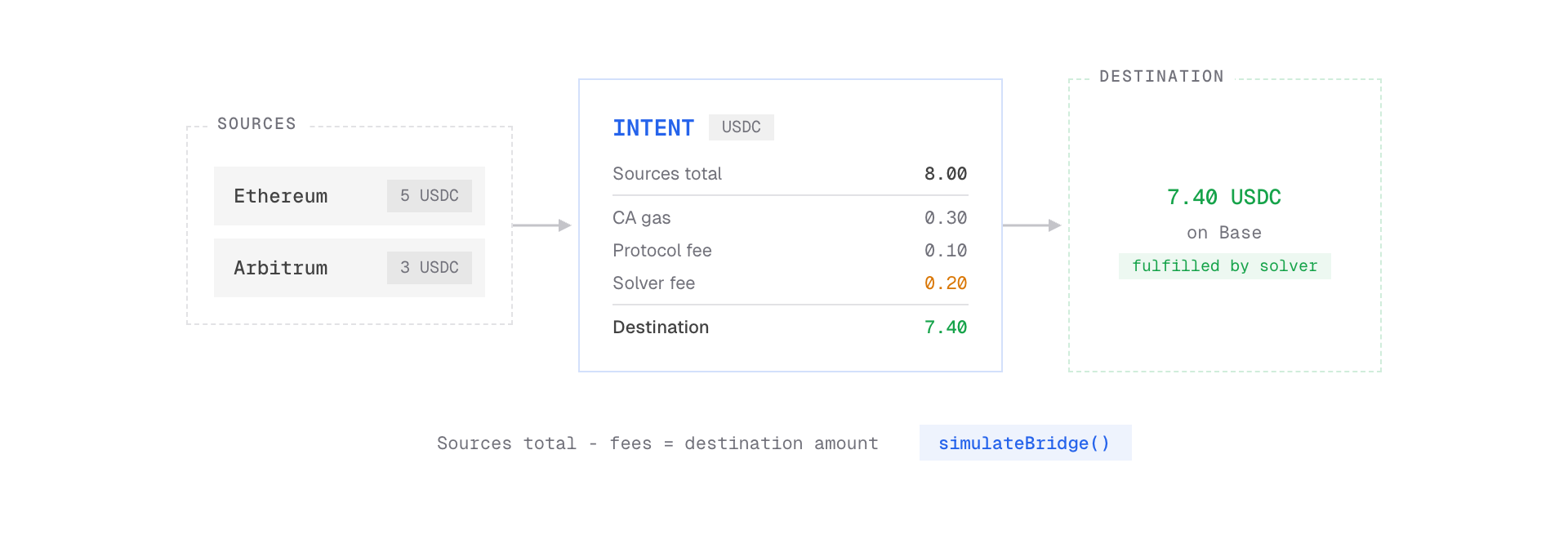
solvers
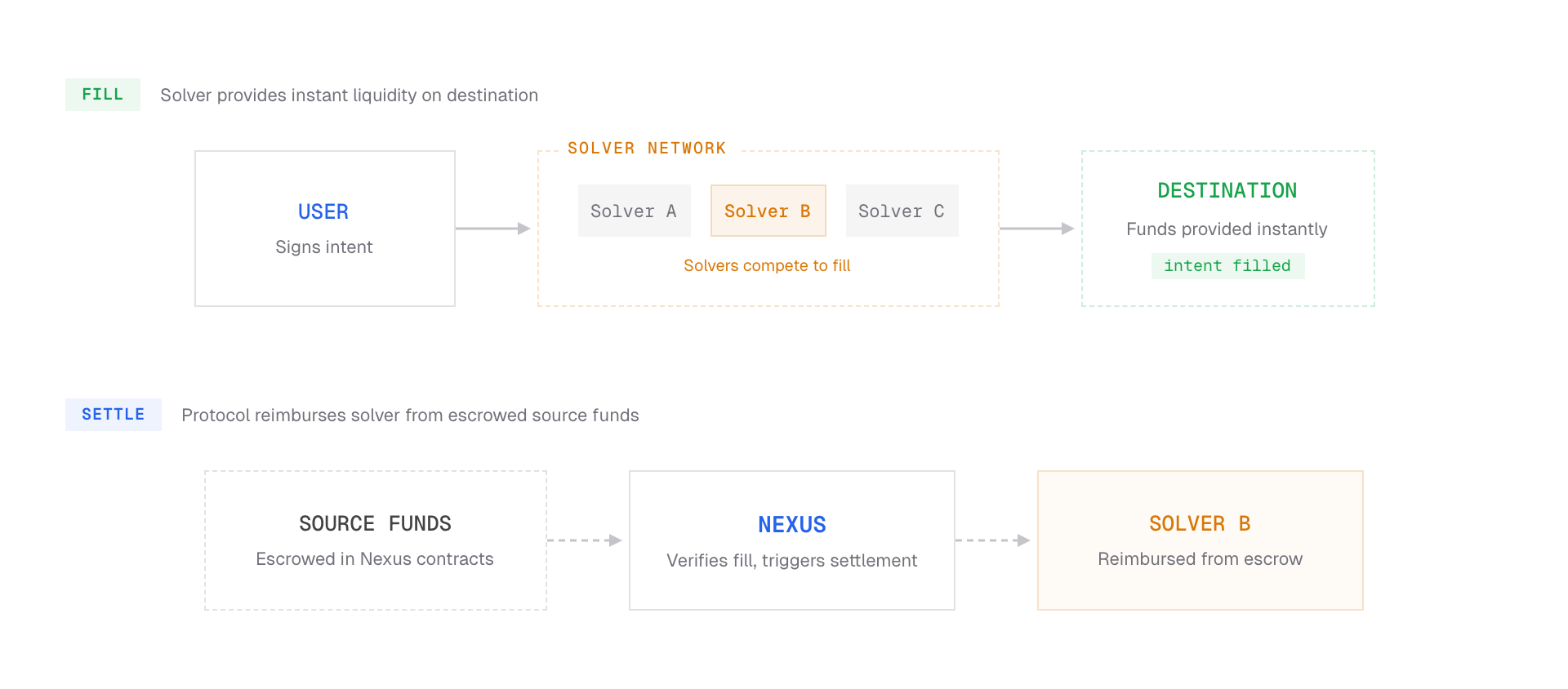
intent lifecycle
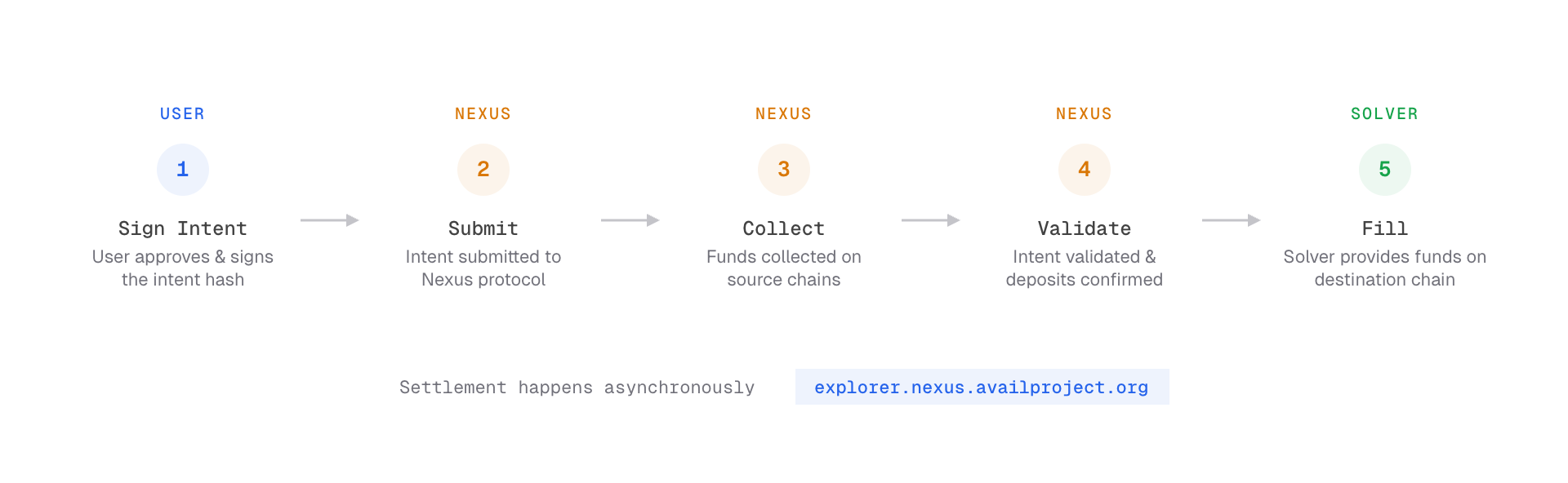
nexus operations
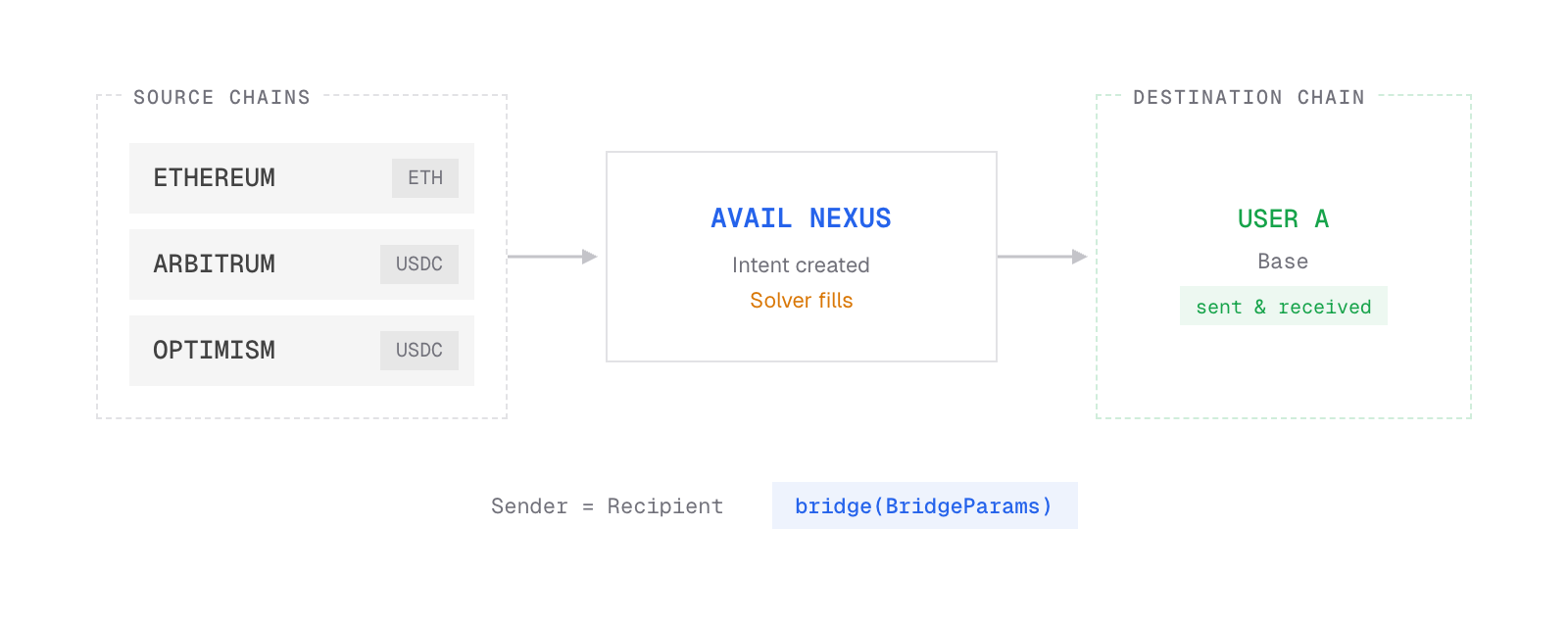
crosschain swaps
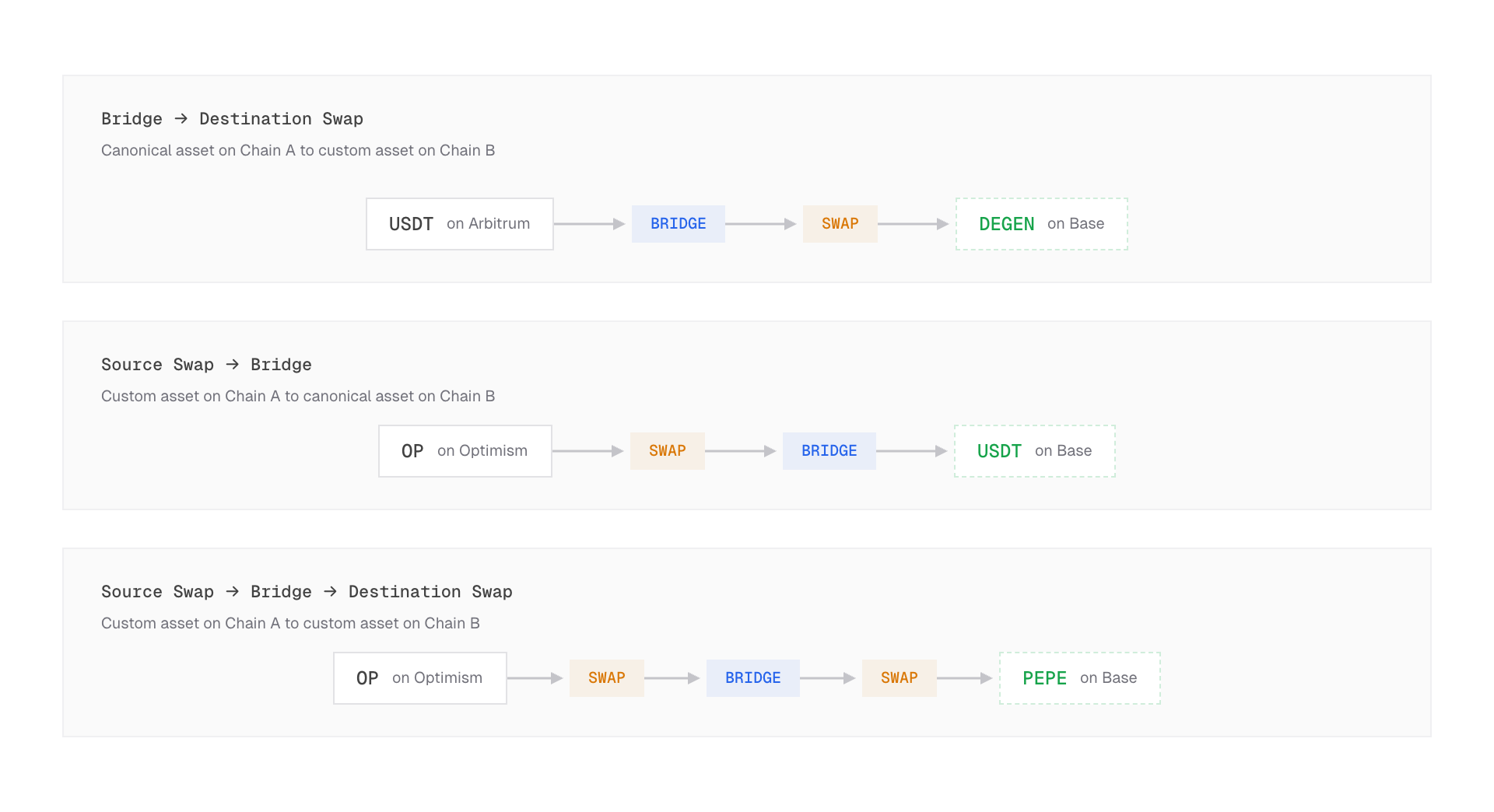
liquidity routing
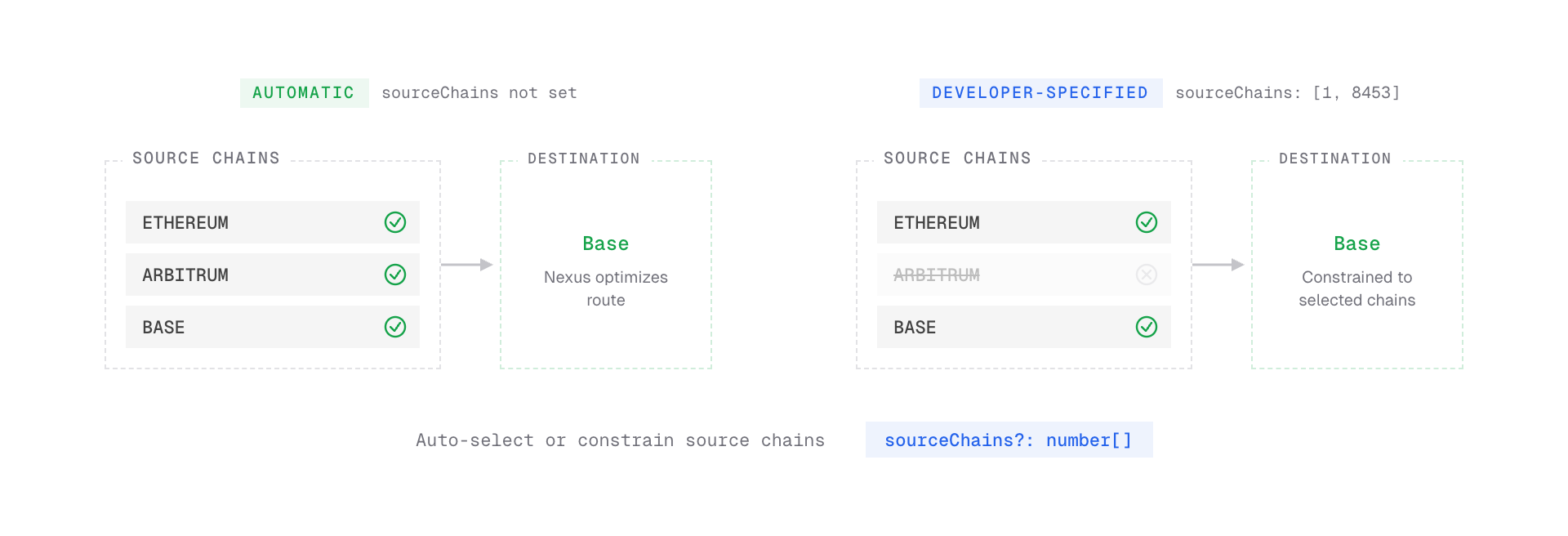
token allowances
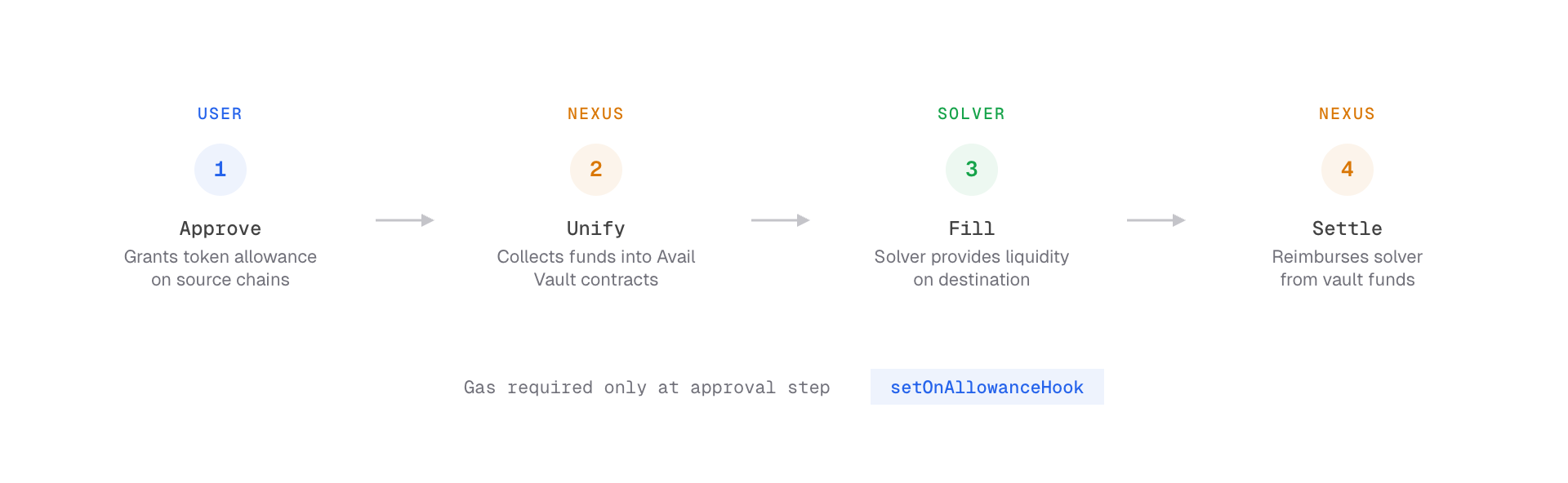
docs for ai agents
docs.availproject.org/docs/ai-features
in this new world with ai, the way we build products have changed so much. i built a few ai features baked into the docs and a lot of under the hood optimizations for an ai agent to easily crawl on the docs to get the information it needs.
llms.txt spec compliance
-
/llms.txt— ~220-line hierarchical navigation guide organized by product section, with folder headers and bullet links -
/llms-full.txt— full organized content (~25K lines) grouped by product/section, with section filtering via query params
# Just Nexus SDK docs
curl https://docs.availproject.org/llms-nexus.txt

# Or filter the full dump
curl "https://docs.availproject.org/llms-full.txt?section=nexus/nexus-sdk"
content negotiation middleware
- requests with
accept: text/markdownget raw markdown instead of HTML — same URL, different format depending on the consumer - inspired by cloudflare’s approach, but serves markdown directly from source rather than converting HTML at the edge
curl -H "Accept: text/markdown" https://docs.availproject.org/docs/da/build/networks
agent headers
-
Content-Signal- tells agents the content type -
x-markdown-tokens- estimated token count -
Vary: accept- proper cache behavior for content negotiation -
X-Robots-Tag: noindex- keeps agent routes out of search indexes -
Cache-Control- caching on agent endpoints
structured reference data
networks, contract addresses, SDK packages - all of it is available as machine-readable JSON at /api/reference.json. an agent building on avail doesn’t have to parse a human-readable page to find a contract address. it just hits the endpoint.
a string-based post-processor strips JSX components from agent-facing output:
| component | transform |
|---|---|
<Callout> |
→ blockquote with type label |
<Tabs> |
→ headed sections per tab |
<IconCard> |
→ bullet links with descriptions |
<Steps> |
→ unwrap children |
<ComponentPreview> |
→ strip entirely |
<PageFooter> |
→ strip (navigation noise) |
| Import statements | → strip |
code block masking prevents false regex matches inside fences. saved ~6,000–8,000 wasted tokens across the corpus.
curl https://docs.availproject.org/api/reference.json
intent-based navigation
llms.txt uses agent personas (“if you want to…”) to guide different types of agents:
| persona | use case |
|---|---|
| coding agent | SDK install, code examples, RPC endpoints |
| rollup integrator | framework-specific guides, config files |
| devops agent | node setup, system requirements, docker |
| research agent | architecture, comparisons |
| defi/bridge agent | contract addresses, token addresses |
agent skills - skills.md
# Install all skills
npx skills add availproject/nexus-sdk

# Or just the one you need
npx skills add https://github.com/availproject/nexus-sdk --skill nexus-sdk-integration
-
nexus-sdk-integrationas the orchestrator nexus-sdk-setupnexus-sdk-hooks-eventsnexus-sdk-bridge-flowsnexus-sdk-swap-flows-
nexus-sdk-balances-metadata-utils.
MCP server for nexus UI elements
npx shadcn@latest mcp init --client cursor
# Then enable in Cursor Settings

# For Claude Code:
npx shadcn@latest mcp init --client claude
once connected, you can use natural language to build with nexus and iterate quickly. e.g. “add the fast-bridge component from @nexus-elements”
feedback mechanism
as we were nearing the shipping date for the docs, i wanted everyone in the team to browse through the docs and give feedback.
to make this process easier, i built a tool to gather feedback on the docs. this also worked for someone outside the team would also share feedback.
the sidebar and every page on the docs has a feedback component that accepts text and images from the clipboard.
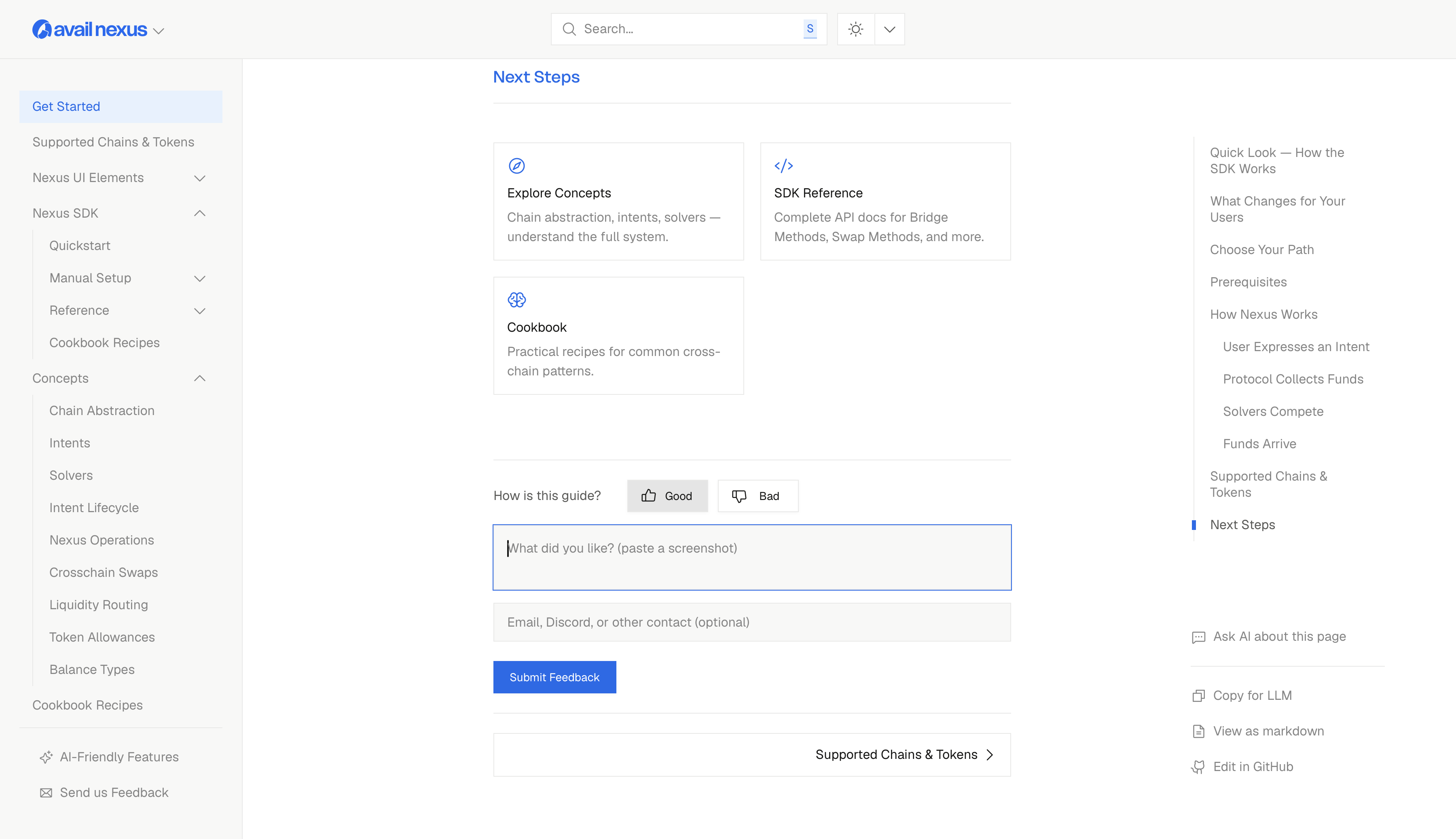
when someone submits feedback, they are celebrated by a confetti and the feedback is recorded as an issue on the docs repository on github. the images are stored in vercel’s blob storage.
further, an agent can be setup that resolves minor issues by itself, pushes the code and escalates more serious issues to the engineering team.